I Built a Native macOS App Using the Very AI It Was Made to Complement
Thursday, 26 February 2026
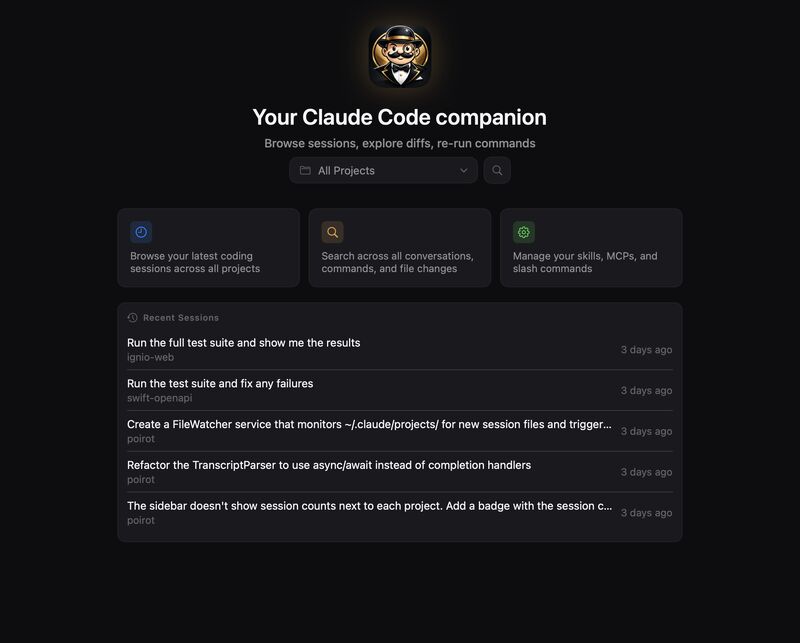
If you’ve been using Claude Code recently, you probably know the pain: the CLI is incredibly powerful, but reading transcripts in raw JSONL files to understand what the AI actually did behind the scenes is no fun at all. That’s when I had a somewhat “meta” idea: Could I build a companion app for Claude Code… using Claude Code itself?
The result of this single-weekend creative explosion is Poirot.
Named after Agatha Christie’s legendary detective, because every great investigation needs the right tools, Poirot is a native macOS app that helps you investigate exactly what your AI assistant has been doing.
The End of Incomprehensible Text Files
Poirot solves the visualization problem by letting you browse your sessions, explore inline code diffs, and re-run terminal commands from a polished SwiftUI interface.
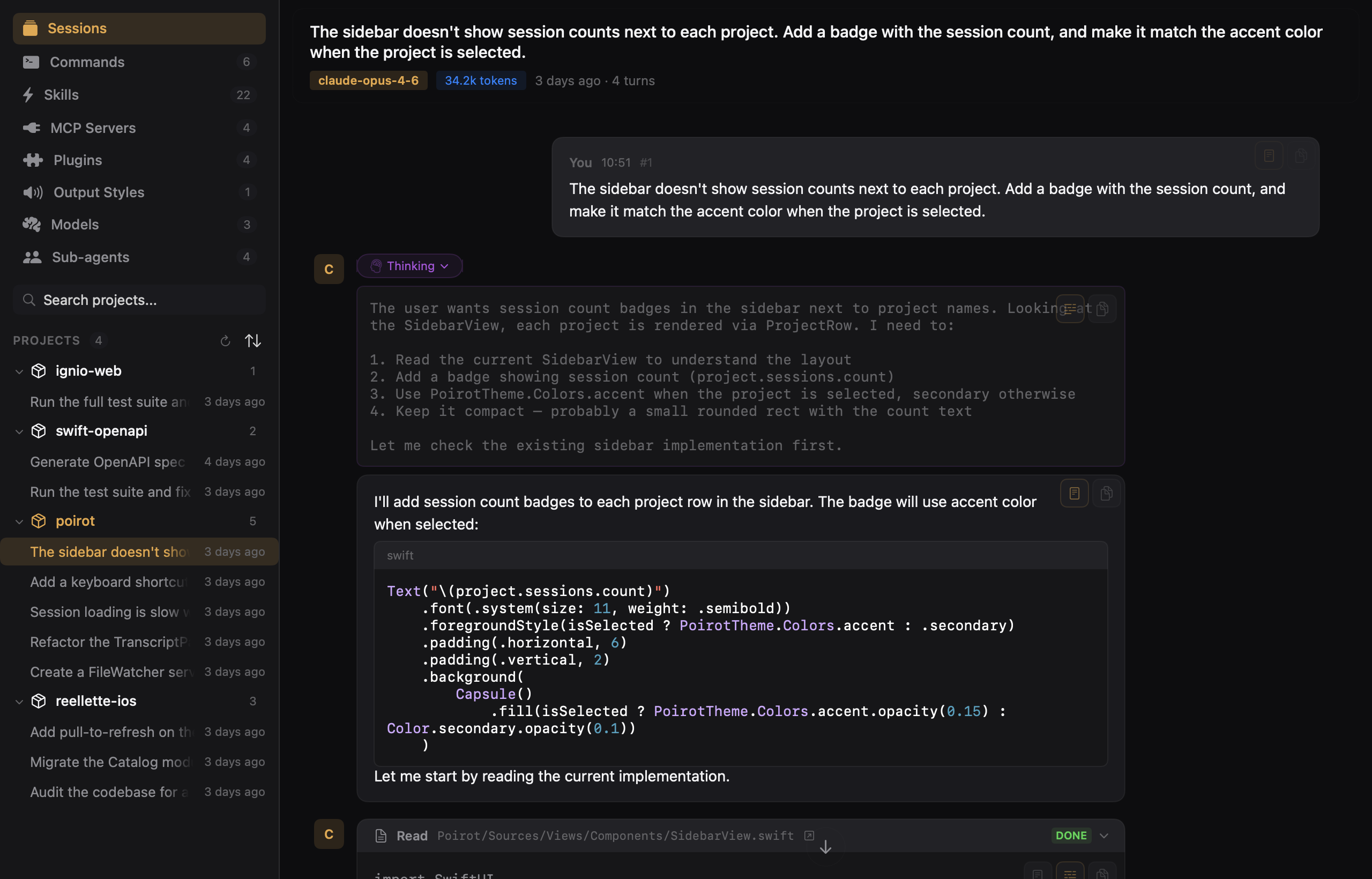
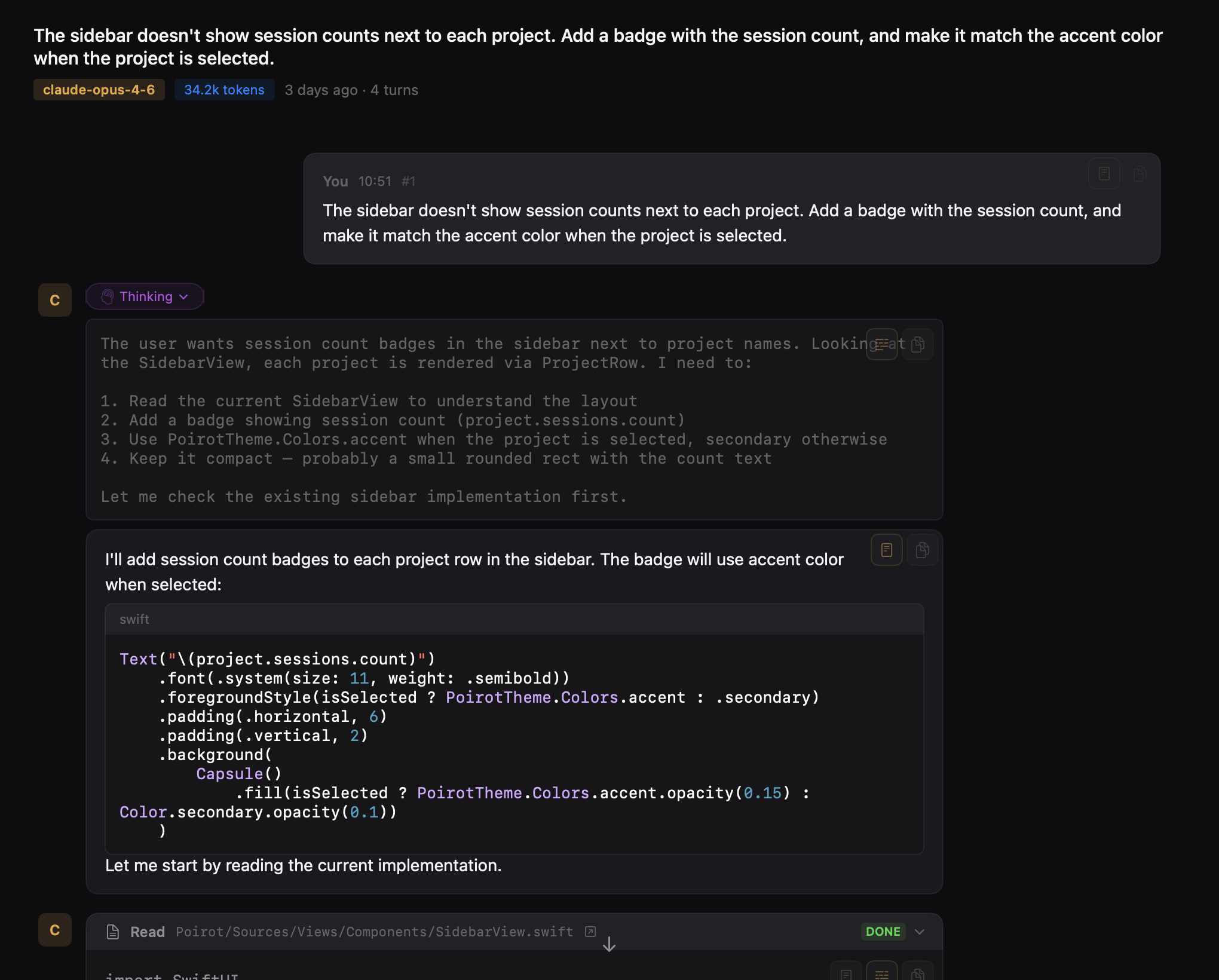
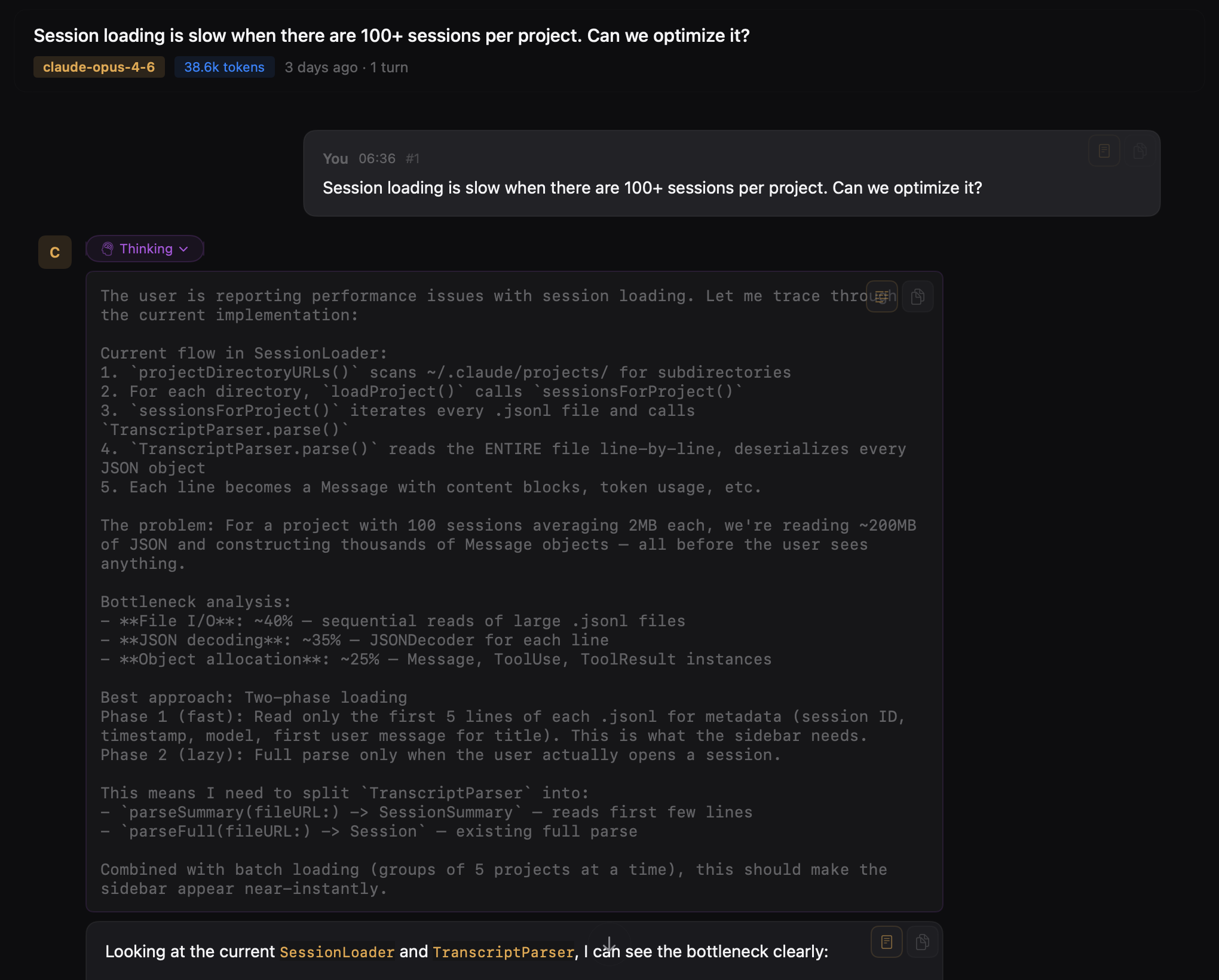
Rich Conversation Visualization
A complete timeline with user messages and assistant responses, rendered in Markdown with syntax highlighting.
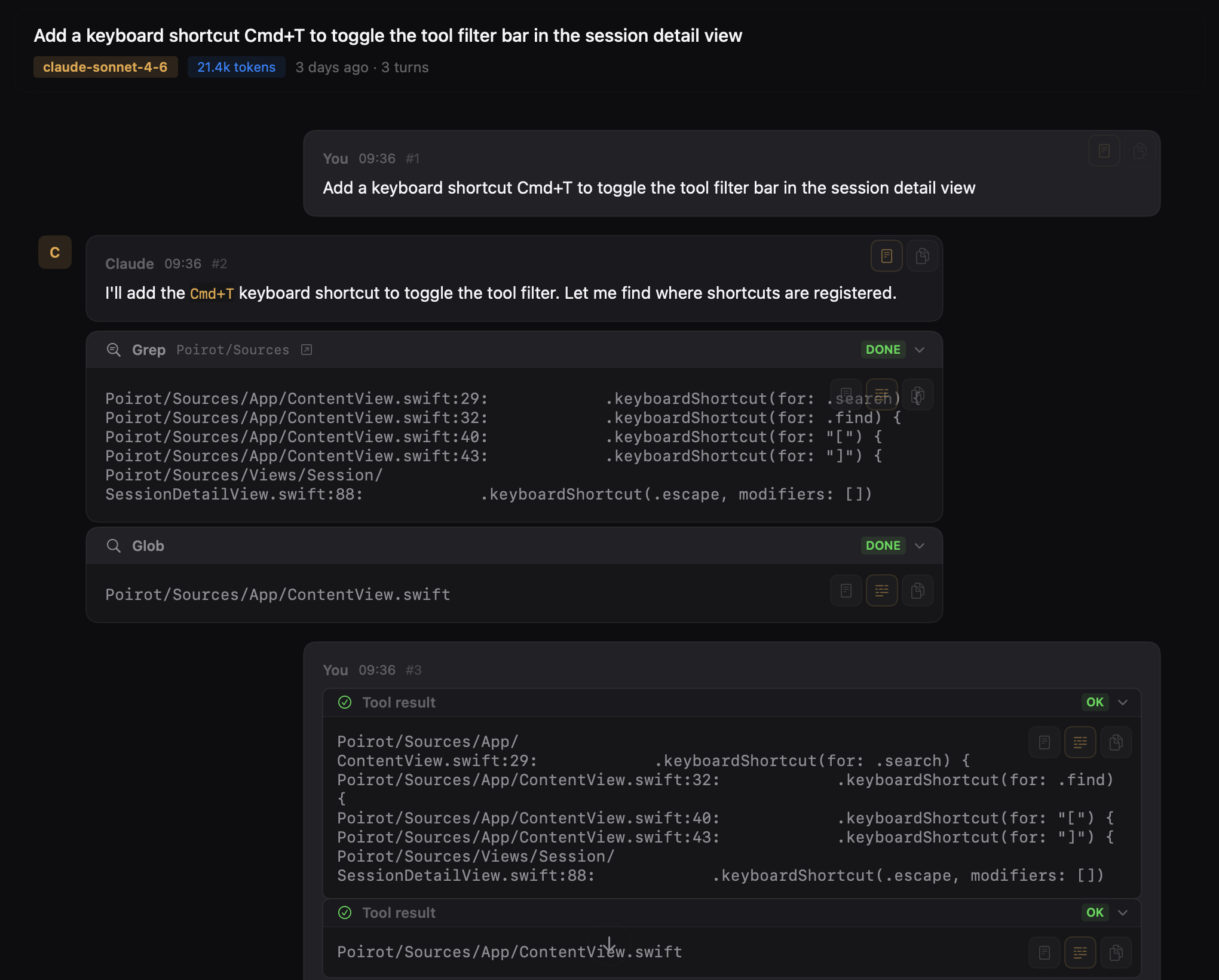
Tool Tracking: Every tool invocation, like Read, Edit, Bash, Grep, Glob, and Write, is rendered with its name, icon, file path, and result.
Extended Thinking
You can see Claude’s reasoning process through expandable blocks, styled so you can easily separate the reasoning from the final response.
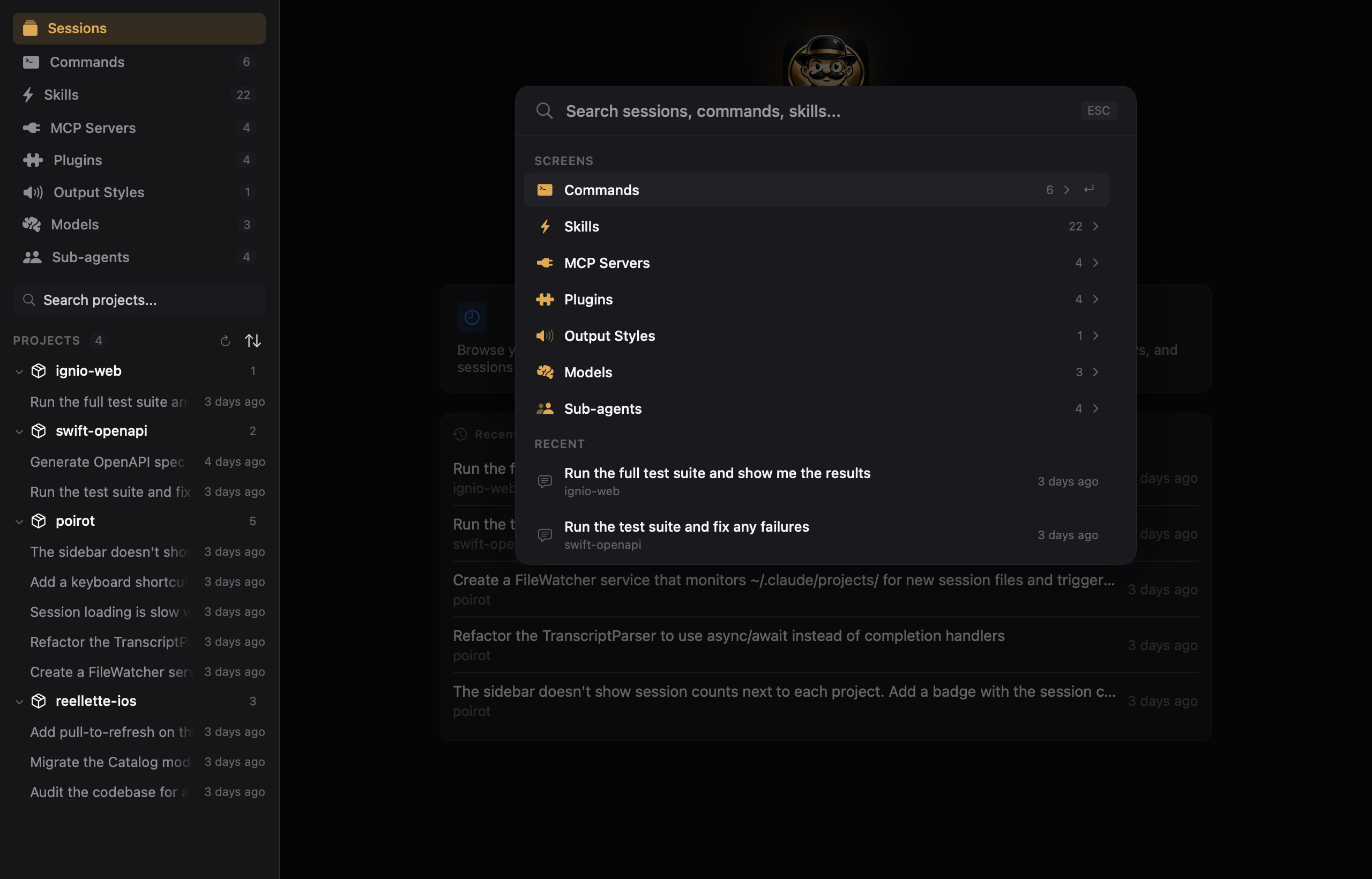
Universal Search (Command+K)
A Spotlight-style overlay lets you quickly search for sessions, commands, MCP servers, plugins, models, and file paths.
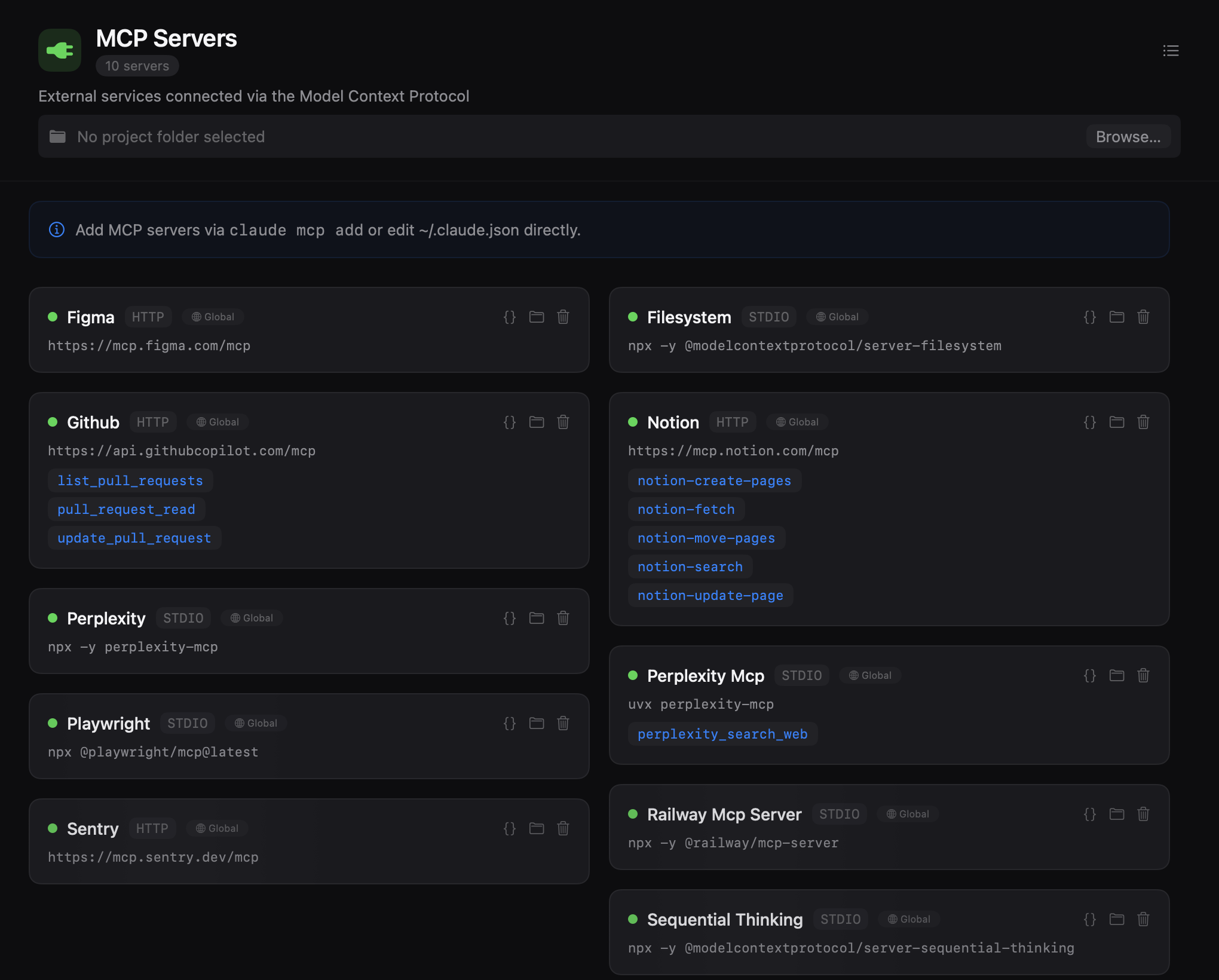
Complete Overview
The app lets you navigate not just conversations, but also explore your submodules, Model Context Protocol (MCP) servers, reusable skills, and even installed plugins in Claude.
The Manifesto Against Web Wrappers
In the current era of AI-focused developer tools, the default tends to be building heavy Electron apps or web wrappers. I wanted to take the opposite path. Poirot was built to feel like a first-class citizen on your Mac.
Extremely Lightweight and Private: The app is under 6 MB, works 100% offline, and has absolutely no login, tracking, or analytics.
Modern Architecture: Built purely in Swift 6 with strict concurrency and default @MainActor isolation. The interface uses SwiftUI with the new @Observable macro paired with @State, leaving the old ObservableObject protocol behind.
Modern Testing: The entire test suite uses the new Swift Testing (@Test, #expect, #require) with hand-written mocks, completely abandoning the traditional XCTest.
Native Design: The interface features a custom dark theme with a warm golden accent (#E8A642). All icons are SF Symbols using native transition, pulse, and bounce animations.
Seamless Workflow Integration
Poirot understands it doesn’t work alone. It integrates with major modern code editors like VS Code, Cursor, Xcode, and Zed, letting you open files with a single click.
Additionally, if you need to intervene in a command the AI tried to run, you can click on any Bash command inside the app to copy it or open it instantly in your favorite terminal, with integrations for Warp, Ghostty, iTerm2, Kitty, Alacritty, and the default macOS Terminal.
Fully Open-Source
The project is completely open-source under the MIT license. As I like to say: review the code yourself, or ask your Claude to do it!
The repository: https://github.com/LeonardoCardoso/Poirot
You can start using it right now. Install easily via Homebrew: brew install --cask poirot.